
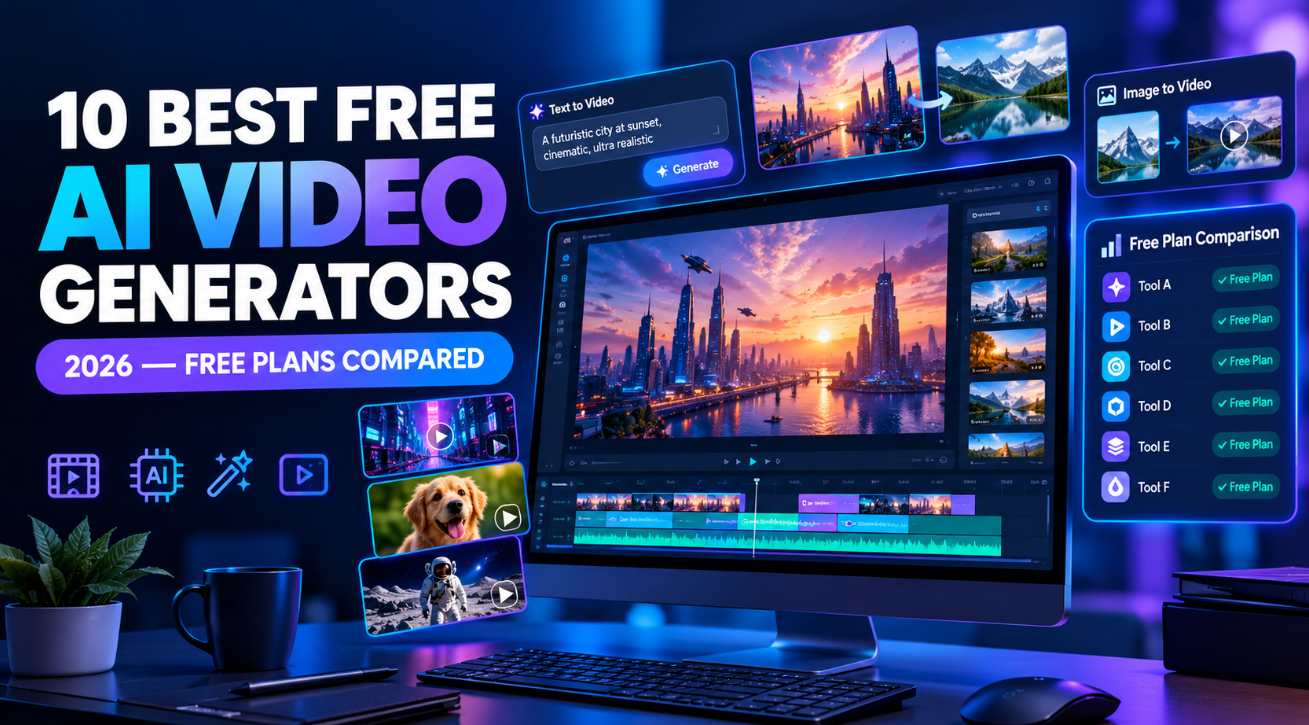
Creating professional videos no longer requires expensive equipment, advanced editing skills, or a large production budget. In 2026, free AI video generators can turn text prompts, images, scripts, and existing footage into engaging videos in minutes.
However, not every tool offers the same experience. Some specialize in cinematic text-to-video generation, while others create AI presenters, marketing videos, social media clips, or complete videos from written scripts. Free plans also vary considerably, with limitations involving credits, video duration, watermarks, export quality, and commercial usage.

The good news is that you can explore several powerful AI video tools without committing to a paid subscription.
In this guide, we compare the 10 best free AI video generators in 2026, explain their free-plan limitations, and help you choose the right option for YouTube, TikTok, Instagram, marketing, education, or personal projects.
What Is an AI Video Generator?
An AI video generator is a tool that uses artificial intelligence to create or assist with video production. Depending on the platform, you can provide a text prompt, upload an image, enter a script, or select a template to produce video content.
For example, you could describe a futuristic city at sunset and let a text-to-video model generate a short cinematic clip. Alternatively, you could paste a product description into an AI video maker and receive a narrated promotional video.
Most tools fall into three categories:
- Generative AI video tools: Create new footage from text prompts or images.
- Script-to-video tools: Combine scripts, stock footage, narration, captions, and music.
- AI avatar video tools: Generate presentations featuring virtual presenters and synthetic voices.
Understanding these differences is important because the best tool for cinematic footage may not be the best choice for producing an educational video or a faceless YouTube channel.
10 Best Free AI Video Generators in 2026
1. Runway — Best for Creative AI Video Generation
Runway is a strong option for creators who want to experiment with AI-generated footage, visual storytelling, and cinematic effects.
Its tools support AI-assisted image and video creation, making the platform useful for filmmakers, designers, advertisers, and social media creators who want greater creative control over their visuals.
Key features:
- AI video generation from supported prompts and inputs
- Image generation and creative visual tools
- Video editing and transformation features
- Tools for developing cinematic concepts
- Browser-based creative workflow
Free plan: Runway offers a free plan with a one-time allocation of 125 credits and 5 GB of asset storage. These credits do not automatically renew, and free-plan exports carry a Runway watermark.
The available models and tools can change, so check which generation features are currently included before starting a project.
Best for: Short cinematic clips, creative experiments, concept videos, and visual storytelling.
Main limitation: The one-time credit allocation makes it less suitable for creators who need to generate videos regularly without paying.
Verdict: Choose Runway when visual quality and creative experimentation matter more than producing large quantities of free footage.
2. Pika — Best for Short, Creative Video Clips
Pika is designed for generating playful, stylized, and visually engaging videos. It is particularly useful for creators who want to transform images into animated scenes or experiment with unusual visual effects.
Instead of building an entire video around stock footage, you can use Pika to generate individual clips for social posts, advertisements, and creative projects.
Key features:
- Text-to-video generation
- Image-to-video animation
- Creative visual transformations
- Short-form video production
- Multiple AI video models, subject to plan availability
Free plan: Pika lists a free tier with access to its models, no watermark, and limited parallel generations. Its pricing page currently shows no recurring monthly credits on the free tier, meaning users should not assume they receive a fresh allowance every month. Available free-generation options may depend on the current credit-pack system.
Commercial licensing is not included in the free plan.
Best for: Creative social media clips, animated images, visual experiments, and short promotional content.
Main limitation: Free usage is restricted, and commercial projects may require a paid plan or additional permission.
Verdict: Pika is worth trying if you want distinctive short clips rather than a complete, narrated video.
3. Kling AI — Best for Realistic AI-Generated Footage
Kling AI has attracted attention for its ability to generate realistic-looking video scenes with movement, camera motion, and detailed visual environments.
It is useful for creators who want to generate footage without filming actors, locations, or physical products. For example, you could create a conceptual travel scene, a dramatic landscape, or a fictional product advertisement from a carefully written prompt.
Key features:
- Text-to-video generation
- Image-to-video animation
- Realistic movement and scene composition
- Cinematic visual styles
- Support for creative video concepts
Free plan: Free access and generation allowances can vary over time. Depending on the current offering, users may encounter limited credits, queues, generation restrictions, or other usage limits. Check the available credits and model options in your account before planning a larger project.
Best for: Realistic scenes, cinematic B-roll, conceptual advertisements, and AI-generated storytelling.
Main limitation: Complex movements, human anatomy, object consistency, and precise scene details can still produce errors. Free generation availability may also change.
Verdict: Kling AI is a compelling option when realistic-looking footage is your main priority and you are comfortable testing several prompts to achieve a usable result.
4. Canva — Best Free AI Video Tool for Beginners
Canva is an accessible choice for people who want to create videos and finish them in the same workspace. Its video editor combines templates, text, graphics, stock assets, and AI-assisted features.
This makes it especially useful for creators who need more than a generated clip. You can build a complete social media post, presentation, advertisement, or branded video using the editor.
Key features:
- Template-based video editing
- Text, graphics, and animation
- AI-assisted content creation
- Stock media and design elements
- Tools for social media formats
Free plan: Canva provides a free plan with access to selected design and AI features. AI usage allowances depend on the feature, and more advanced tools may require a paid subscription. Its cinematic AI video-generation feature is subject to plan-specific access and usage restrictions.
Best for: Instagram Reels, YouTube thumbnails and videos, presentations, educational content, and marketing materials.
Main limitation: Some premium assets, AI features, and advanced usage allowances are restricted. Canva is also more focused on complete designs than on unrestricted cinematic video generation.
Verdict: Canva is one of the most practical options for beginners who want to create, edit, and brand videos without learning a complicated editing program.
5. CapCut — Best for Social Media Video Editing
CapCut is widely used for short-form video editing, particularly for TikTok, Instagram Reels, and YouTube Shorts. It combines a straightforward editing interface with AI-assisted tools that can simplify routine production tasks.
Depending on the current version and region, these tools may include automatic captions, background removal, text-to-speech, script assistance, and other editing features.
Key features:
- Automatic captions and subtitle editing
- Text-to-speech and voiceover tools
- Templates and transitions
- Background removal and visual effects
- AI-assisted editing features
Free plan: CapCut offers a free plan with basic editing tools and free templates. However, not every AI feature is available without payment, and some advanced tools require Pro access or AI credits.
Availability can differ between the web editor, desktop application, and mobile app.
Best for: Short-form social videos, captioned clips, creator content, and quick promotional edits.
Main limitation: Certain premium effects, AI features, and templates are paid. Features and export options may vary by device or region.
Verdict: If you already have footage and want to turn it into polished social media content, CapCut is an excellent starting point. It is primarily an editing solution rather than a dedicated text-to-video generator.
6. HeyGen — Best for AI Avatar Videos
HeyGen specializes in videos featuring AI-generated presenters. Instead of recording yourself on camera, you can create a presenter-led video using an avatar and a written script.
This approach is particularly useful for tutorials, product demonstrations, business presentations, onboarding materials, and multilingual content.
Key features:
- AI avatar presenters
- Script-based video creation
- AI-generated voiceovers
- Multilingual video production
- Custom avatar options
Free plan: HeyGen’s published free plan includes up to three videos per month, with videos limited to one minute. It also provides access to selected avatar features and a custom video avatar option, subject to the plan’s current terms.
Best for: Training videos, educational explainers, product presentations, and business communication.
Main limitation: The free plan has a low monthly video allowance and a short duration limit. Longer videos and additional capabilities require an upgrade.
Verdict: HeyGen is a strong choice if you need a virtual presenter rather than cinematic footage. Its free plan is useful for testing the format before committing to regular production.
7. InVideo AI — Best for Turning Scripts Into Complete Videos
InVideo AI focuses on converting written instructions into assembled videos. Depending on your prompt and settings, it can help combine narration, visual assets, scenes, and other elements into a video draft.
This makes it useful for creators who prefer to start with an idea or script rather than edit every scene manually.
Key features:
- Prompt-based video creation
- Script-to-video workflows
- AI-assisted scene assembly
- Narration and voiceover options
- Tools for marketing and social content
Free plan: InVideo AI offers free access with limited credits. Its published help information indicates that free-plan quotas reset weekly, although the number of credits available and the cost of individual generations depend on the current plan and selected features.
The free plan supports creating and sharing videos on social media, but usage restrictions apply.
Best for: Faceless YouTube videos, explainers, marketing content, and videos built around written scripts.
Main limitation: Credit limits can restrict experimentation, and automatically selected footage may not always match the script perfectly. You may need to replace scenes and adjust narration.
Verdict: Choose InVideo AI when you want help assembling an entire video rather than generating a single clip from a text prompt.
8. VEED — Best for Browser-Based Video Creation
VEED is an online video editor with AI-assisted features for generating, editing, and improving video content. It is particularly useful for creators who want a browser-based workflow without installing a dedicated editing application.
Its AI Playground provides access to supported generative video models, allowing users to create footage from text or images.
Key features:
- Online video editing
- Automatic subtitles and transcription
- AI-assisted video generation
- Voice and audio tools
- Caption styling and social media editing
Free plan: VEED provides access to selected editing features for free. AI Playground credits are available on some free accounts in certain regions, while other accounts may not receive them. Where available, generated clips can be up to 12 seconds long.
Credit costs vary by model, and not every AI feature is included in every free plan.
Best for: Captioned videos, browser-based editing, short AI-generated scenes, and social media content.
Main limitation: Export restrictions, watermarks, and limited AI availability may affect free users. Check the current conditions for your account and region.
Verdict: VEED is a useful option for creators who want AI tools and practical editing features in one online workspace.
9. Adobe Express — Best for Branded and Promotional Videos
Adobe Express is designed for creating polished visual content with relatively little editing experience. It offers templates, text effects, graphics, and video-editing features that support social media and marketing workflows.
Its AI capabilities can help users develop creative assets, although access to particular generative video features depends on the current product and plan.
Key features:
- Social media video templates
- Text, graphics, and animations
- AI-assisted creative tools
- Brand-oriented design features
- Browser-based content creation
Free plan: Adobe Express offers a free plan with selected editing tools, templates, and creative features. Access to premium assets, advanced AI capabilities, and higher usage allowances may require a paid subscription.
Because Adobe’s AI offerings change, confirm whether the specific video-generation feature you need is included in the free tier.
Best for: Promotional videos, branded social content, advertisements, and simple business presentations.
Main limitation: It is not a substitute for a dedicated cinematic video-generation model, and some advanced features are restricted to paid plans.
Verdict: Adobe Express is worth considering when visual consistency, branding, and presentation matter more than generating realistic footage from scratch.
10. Luma Dream Machine — Best for Cinematic Concepts and Motion
Luma Dream Machine focuses on AI-generated video, making it relevant to creators who want to explore visual storytelling, animated scenes, and cinematic concepts.
You can use a written description or a suitable image as the starting point for generating a short clip. This approach works well for storyboarding, mood videos, creative advertisements, and visual experiments.
Key features:
- Text-to-video generation
- Image-to-video workflows
- Cinematic scene creation
- Camera movement and visual transitions
- AI-assisted creative experimentation
Free plan: Free access, generation limits, and commercial-use conditions can change. Check the current plan details before relying on a specific monthly credit allowance or assuming that generated videos can be used commercially.
Best for: Concept development, short cinematic clips, visual storytelling, and experimental creative projects.
Main limitation: Consistency between separate clips can be difficult to maintain, and free generation may be limited by credits or availability.
Verdict: Luma Dream Machine is worth testing if your priority is creating atmospheric, visually interesting footage rather than assembling a complete video automatically.
Free AI Video Generators Compared
The following table summarizes the main strengths and free-plan considerations of these tools.
| AI Video Generator | Best Use | Free-Plan Consideration |
|---|---|---|
| Runway | Creative video generation | 125 one-time credits; watermark |
| Pika | Short creative clips | No recurring free credits listed; commercial license excluded |
| Kling AI | Realistic AI footage | Allowances and access may change |
| Canva | Beginner-friendly video design | Selected AI features and usage limits |
| CapCut | Social media editing | Some AI tools require payment |
| HeyGen | AI presenter videos | Three videos per month, up to one minute each |
| InVideo AI | Script-to-video creation | Limited credits with a weekly quota reset |
| VEED | Online editing and captions | AI credits may depend on region |
| Adobe Express | Branded promotional content | Selected AI and premium features |
| Luma Dream Machine | Cinematic concepts | Free access and usage limits may change |
Important: Free plans are not directly equivalent. Some provide a fixed number of generation credits, while others focus on free editing tools or limited access to premium AI features. Check the current terms before choosing a tool for regular production.
How to Choose the Best Free AI Video Generator
The right choice depends on the type of video you want to create and how often you plan to generate new content.
For YouTube Videos
Choose InVideo AI if you want to turn scripts into assembled videos. HeyGen is a better fit for presenter-led explainers, while CapCut is useful for editing recorded footage and adding captions.
For TikTok, Reels, and Shorts
CapCut is a practical option for editing short videos. Pika and Kling AI are worth exploring when you need original AI-generated scenes, while Canva helps you create branded content using templates.
For Cinematic AI Videos
Start with Runway, Kling AI, Pika, or Luma Dream Machine. Compare their current free-generation allowances and test the same prompt across available models.
For Business and Marketing
Canva and Adobe Express are useful for branded visuals, while HeyGen can produce presenter-led demonstrations. InVideo AI may be more suitable when you need a complete video based on a script.
For Beginners
Start with Canva or CapCut if you want an accessible interface and straightforward editing tools. If you specifically want to generate footage from a written prompt, try a dedicated generative video tool instead.
How to Create Videos With a Free AI Video Generator
Most AI video tools follow a similar process.
Step 1: Choose a suitable platform.
Decide whether you need cinematic footage, a talking avatar, or a complete video assembled from a script.
Step 2: Write a specific prompt or script.
For generated footage, describe the subject, setting, movement, lighting, and camera perspective. For script-based tools, provide a clear outline with a defined audience and objective.
Step 3: Select the available settings.
Choose the aspect ratio, duration, visual style, or voice options supported by the platform. Use vertical formats for most short-form social content and horizontal formats for conventional YouTube videos.
Step 4: Generate the first version.
Create a draft and evaluate whether the result matches your instructions. Avoid spending all your free credits on minor variations before identifying what needs improvement.
Step 5: Edit the output.
Correct captions, replace unsuitable scenes, adjust the pacing, and add music or narration where appropriate.
Step 6: Check export and usage rights.
Review the resolution, watermark, and download restrictions. If you intend to publish sponsored content or advertisements, verify that your plan permits commercial use.
Benefits and Limitations of Free AI Video Generators
Benefits
Free AI video tools offer several practical advantages:
- Lower production costs: Experiment with video creation before purchasing equipment or subscriptions.
- Faster workflows: Generate initial footage, captions, or video drafts without building every element manually.
- Creative flexibility: Test different styles, scenes, and concepts quickly.
- Beginner-friendly production: Create useful content without extensive editing experience.
- Scalable experimentation: Compare tools before deciding which one deserves a place in your workflow.
Limitations
Free access also comes with important trade-offs.
Credit restrictions: Generating multiple versions can consume your allowance quickly.
Short video durations: Some models create only brief clips, requiring several generations for a longer video.
Watermarks and export limits: A free plan may restrict branding, resolution, or downloads.
Inconsistent results: AI can produce incorrect details, unnatural movement, inconsistent characters, or visual artifacts.
Commercial licensing: Free access does not automatically grant unrestricted commercial rights. Read the relevant terms before publishing content for clients or using it in advertisements.
Changing availability: AI models, free credits, and regional access can change throughout the year.
Tips for Getting Better Results Without Paying
You can improve your results by using free credits strategically.
- Be specific with prompts. Describe the subject, action, setting, lighting, and camera movement instead of relying on vague instructions.
- Generate short clips first. Shorter scenes are easier to test and combine into a coherent final video.
- Use reference images when supported. A suitable image can help establish the appearance and composition of a scene.
- Compare outputs before switching tools. One platform may handle realistic motion better, while another excels at stylized visuals.
- Edit generated footage yourself. Free editing software can help combine clips, add narration, and improve pacing.
- Keep commercial requirements in mind. Check licensing, watermark policies, and restrictions before using generated content professionally.
Conclusion
The 10 best free AI video generators in 2026 serve different purposes, so the ideal choice depends on your content goals.
Runway, Pika, Kling AI, and Luma Dream Machine are worth exploring for AI-generated footage. Canva, CapCut, and Adobe Express are useful for design and editing, while HeyGen and InVideo AI are better suited to presenter-led and script-based videos. VEED offers a convenient browser-based workflow for editing and AI-assisted creation.
For most beginners, the smartest approach is to start with one tool that matches your primary use case and test its free features before exploring alternatives.
Remember that free access does not always mean unlimited video generation. Credits, watermarks, commercial permissions, and export restrictions can significantly affect the value of a free plan. Review those details before building your workflow around a particular platform.
With the right tool and a clear creative plan, you can produce useful, engaging videos while keeping your initial production costs low.
Frequently Asked Questions
1. What is the best free AI video generator in 2026?
The best option depends on your needs. Runway is worth exploring for creative AI footage, Canva for beginner-friendly video design, CapCut for social media editing, and HeyGen for AI avatar videos. Compare free usage limits before choosing.
2. Can I generate AI videos for free without a watermark?
Yes, some tools offer watermark-free outputs under their free plans or selected free-generation conditions. Pika currently lists no watermark on its free tier, while Runway states that free-plan videos include a watermark. Always check the current terms before generating content.
3. Which free AI video generator is best for YouTube?
InVideo AI is useful for turning scripts into assembled videos, while HeyGen works well for presenter-led content. CapCut is a strong choice for editing footage, adding captions, and producing YouTube Shorts.
4. Are free AI-generated videos suitable for commercial use?
Sometimes, but permission depends on the platform, plan, model, and applicable terms. Pika’s listed free plan excludes a commercial license. Check the relevant licensing conditions before using generated videos in advertisements, client projects, or monetized content.
5. Can AI generate a complete video from text?
Yes. Tools such as InVideo AI can help assemble videos from written instructions, while generative platforms can turn text prompts into individual video clips. You may still need to edit scenes, correct errors, and refine the final result.
6. Do free AI video generators have daily or monthly limits?
Limits vary by platform. Some use one-time credits, others offer weekly quotas or monthly video allowances, and some restrict access to particular AI features. Review the current free-plan terms to understand how much content you can create.
7. Will free AI video generators remain free?
Many platforms maintain free tiers, but their features, quotas, and model access can change. A free plan may be intended primarily for testing rather than regular production. Check the current pricing page before relying on a specific allowance for an ongoing project.
Enjoyed this article? Discover more interesting stories and insights — Explore More Articles.
